TicketLens
Privacy-first desktop workbench for IT ticket intelligence — local embeddings, semantic clustering, and LLM-powered insights without data leaving your machine.
- Role
- Solo build — design, architecture, local AI engineering
- Stack
- Python · PySide6 · BERTopic · llama.cpp · UMAP · HDBSCAN
498
Passing tests
10
Analysis modules
100%
Offline & private
4
Compute backends
Context
Enterprise IT service desks handle tens of thousands of incident tickets every month across platforms like ServiceNow, Jira, and Remedy. When leadership asks what is actually driving queue volume, the default response is almost always an Excel pivot table grouped by assigned category.
In practice, those categories are notoriously unreliable. Agents misclassify tickets under pressure, vague generic categories like “Software / Other” swallow huge percentages of the queue, and real underlying patterns—such as a specific VPN client build failing after a patch—remain invisible across dozens of disparate categories.
The obvious modern impulse is to run this text through an LLM. But in regulated enterprise environments, support tickets contain employee names, IP addresses, internal hostnames, and system error traces. Uploading spreadsheets of raw internal ticket data to cloud APIs or hosted notebooks violates enterprise security policies and immediately halts the conversation.
I built TicketLens to solve this: an end-to-end IT ticket intelligence workbench that runs entirely offline on local hardware, pairing semantic clustering with on-device LLMs.
How It Works
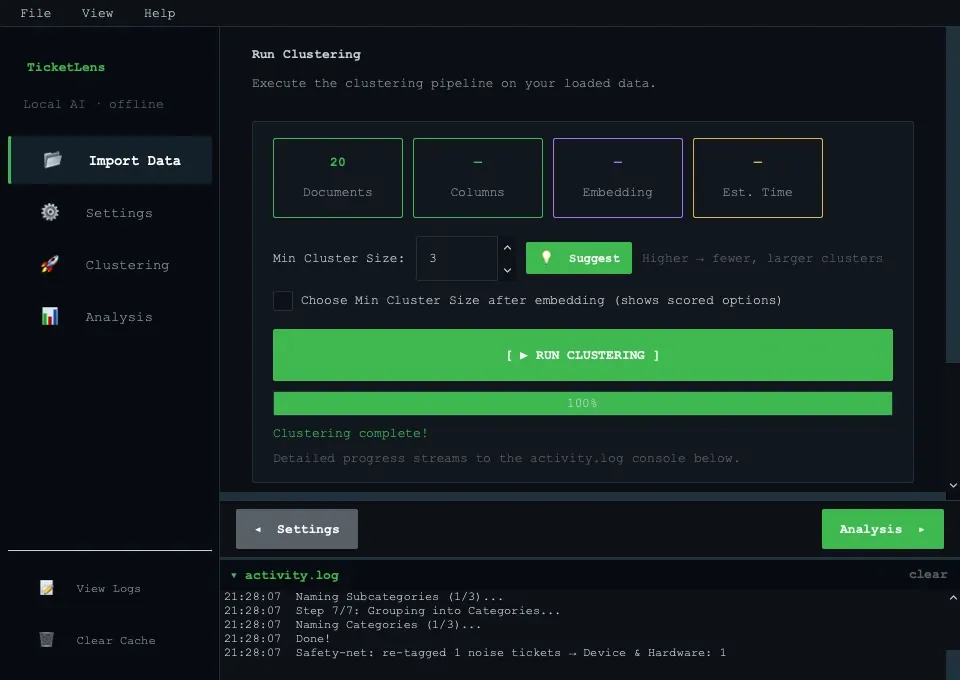
TicketLens takes raw ticket exports (.xlsx or .xls), guides the user through column mapping, and performs a complete analytical pipeline without sending a single byte across the network:
- Local Preprocessing & Scrubbing: Automatically maps standard ITSM fields (Short Description, Resolution Notes, Category, Priority, Assignment Group, Business Duration), cleans boilerplate headers, and scrubs sensitive identifiers (emails, IPs, timestamps, ticket numbers).
- Dense Semantic Embedding: Transforms unstructured incident descriptions into dense vector space using compact Hugging Face sentence transformers (e.g.,
all-MiniLM-L6-v2,bge-small-en-v1.5,gte-small). - Dimensionality Reduction & Clustering: Compresses embedding space with UMAP and isolates high-density clusters using HDBSCAN.
- Mid-Run Granularity Tuning: A unique interactive sweep lets users inspect cluster counts across different minimum cluster sizes after embeddings are generated, without recomputing expensive vector representations.
- Local LLM Labelling: Feeds the top representative tickets and keyword c-TF-IDF signals into an on-device instruct model (Gemma 4, Phi-4-mini, Qwen 2.5 via
llama.cpp) to generate descriptive, human-grade cluster names.
Specialized Analysis Modules
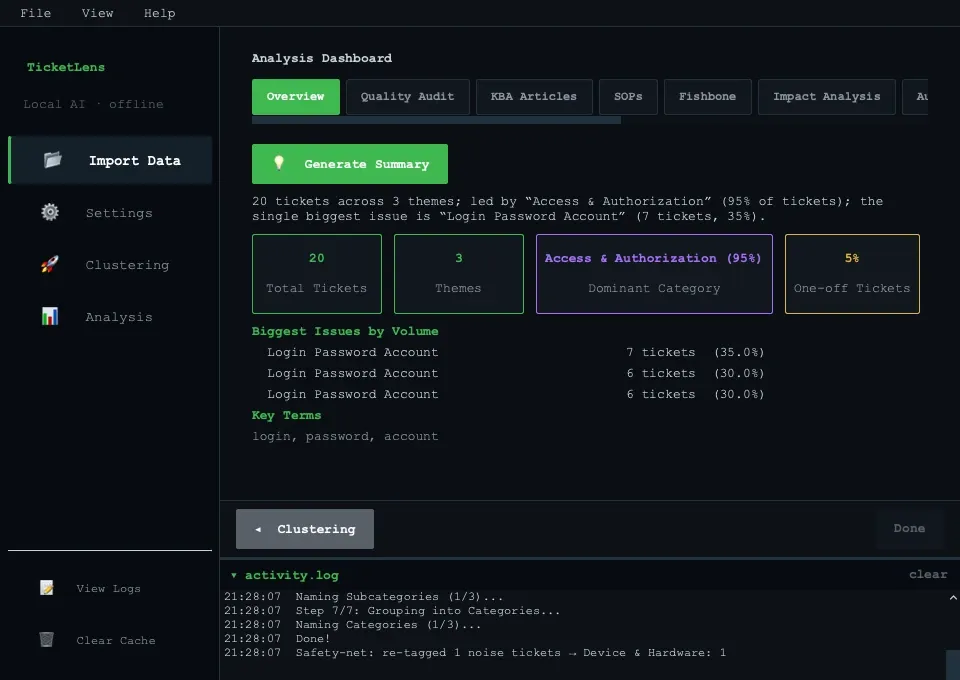
Beyond clustering, TicketLens provides 10 purpose-built analytical modules that turn grouped incidents into operational decisions:
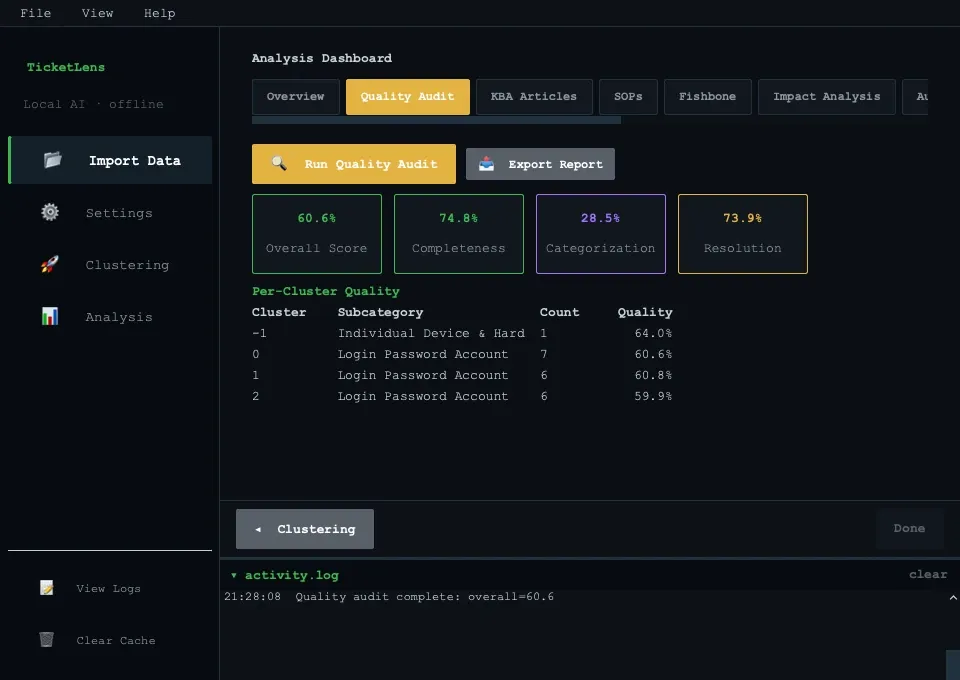
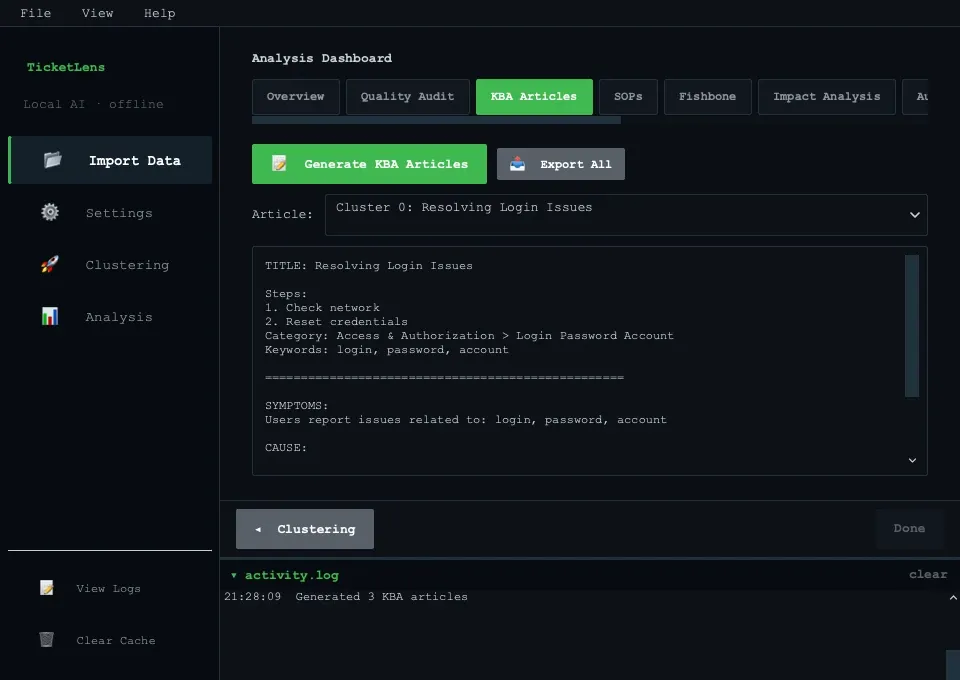
- Quality Audit: Evaluates ticket hygiene across all clusters, scoring description completeness, resolution documentation quality, and flagging ambiguous or empty resolution notes.
- Knowledge Base Article (KBA) & SOP Generators: Drafts structured KBAs and step-by-step Standard Operating Procedures from recurring incident resolution patterns using the local LLM.
- Impact Analysis & Bottlenecks: Highlights clusters contributing disproportionately to business downtime, recurring reassignment hops, and SLA breaches.
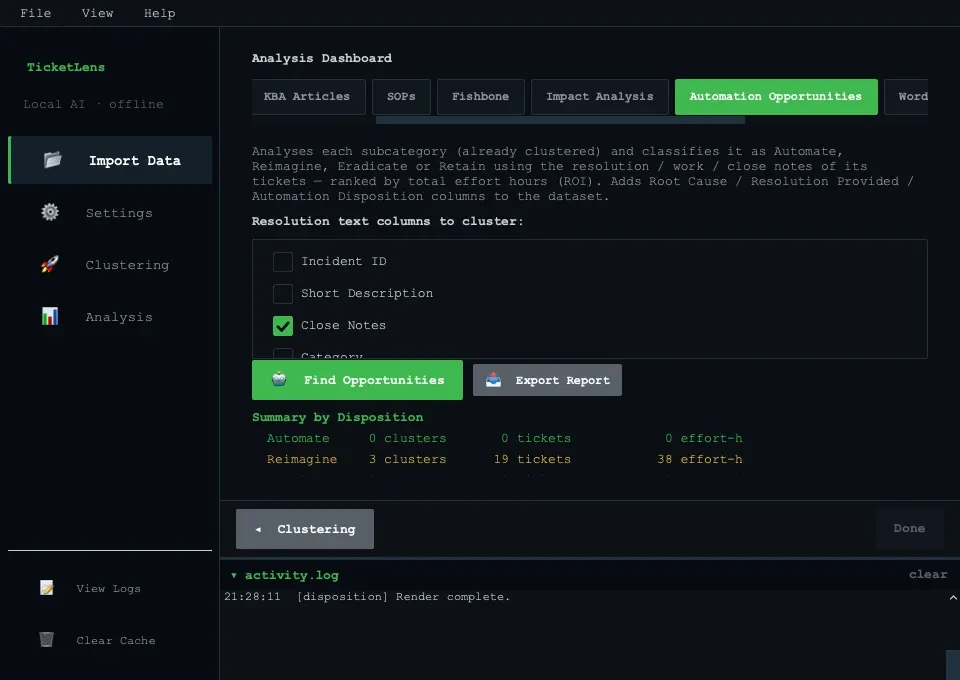
- Automation & Self-Service Disposition: Classifies clusters into 4 operational quadrants (Automate, Reimagine, Eradicate, Retain) with projected ROI hours saved.
- Category Audit & Cross-Tabulation: Identifies misfiled tickets and cross-tabulates primary categories against subcategories in an exportable pivot hierarchy.
- Word Cloud Studio & Ishikawa Fishbone Diagrams: Visualizes cluster-level root causes and classifies failure drivers into structured Ishikawa cause categories.
Hardware Acceleration & Engineering
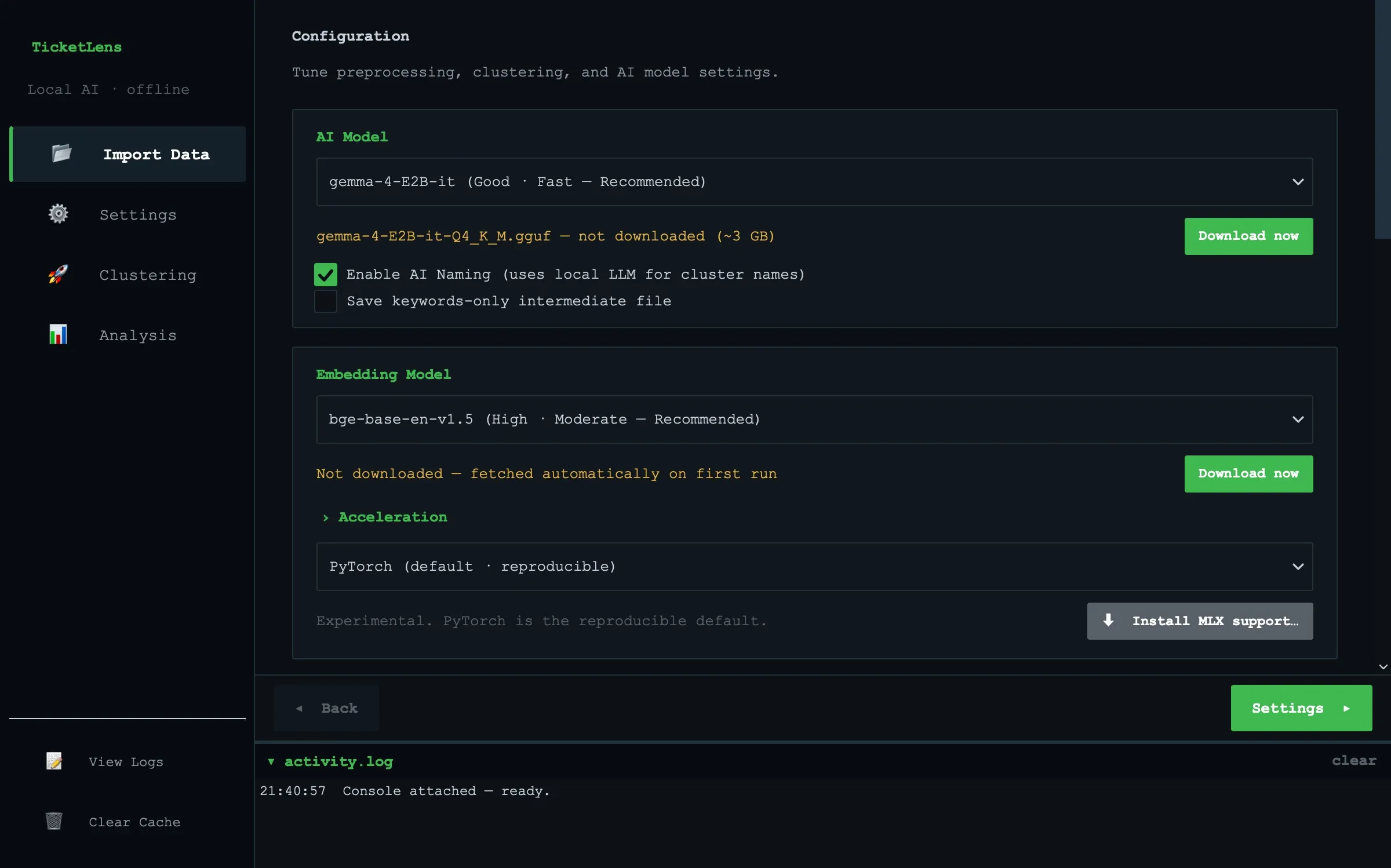
Running local AI models on desktop hardware without frustrating latency required careful optimization across platforms:
- PyTorch CPU Reference: Solid baseline ensuring byte-for-byte reproducibility.
- Apple Silicon (Metal / MPS): GPU-accelerated embeddings via PyTorch MPS and fast LLM inference through
llama.cppMetal kernels. - Apple MLX: Dedicated Apple Silicon runtime with automated numerical parity checks against PyTorch before execution.
- OpenVINO INT8 (Windows / Linux): CPU quantization leveraging Intel DL Boost / VNNI to achieve a 3.6–4.2× speedup for BERT-family embedding generation.
Architectural Principles
- Strict UI Layering: The presentation layer (
src/ui/) is cleanly separated from the controller and core domain models. A dedicated test (test_ui_layering.py) statically inspects the AST to ensure widgets never directly depend on the application controller. - Headless Core: All clustering, sanitization, disposition scoring, and quality audit engines run headless, allowing automated CLI execution and scriptable batch runs.
- Asynchronous Worker Marshalling: Heavy embedding and inference pipelines run on background worker threads with thread-safe Qt signal marshalling, preventing UI freezes during intensive compute.
- Diff-Based Configuration: Settings and custom stopword overrides are stored as minimal diffs against defaults, allowing lossless session saving and resumption.
Verification & Outcomes
The project is backed by 498 passing tests covering edge-case sanitization, UI layering constraints, thread marshalling, and numerical stability across backends.
By keeping the entire pipeline strictly on-device, TicketLens proves that advanced AI-assisted analytics and strict data privacy are not mutually exclusive: analysts can deliver deep queue intelligence, generate operational documentation, and uncover automation targets without data ever leaving the local workstation.